
Features/Multi-Step Forms
Break long forms into easy steps
Split a long form into steps with a progress indicator, so an application or booking feels short at every stage. Each step is checked before the visitor moves on.
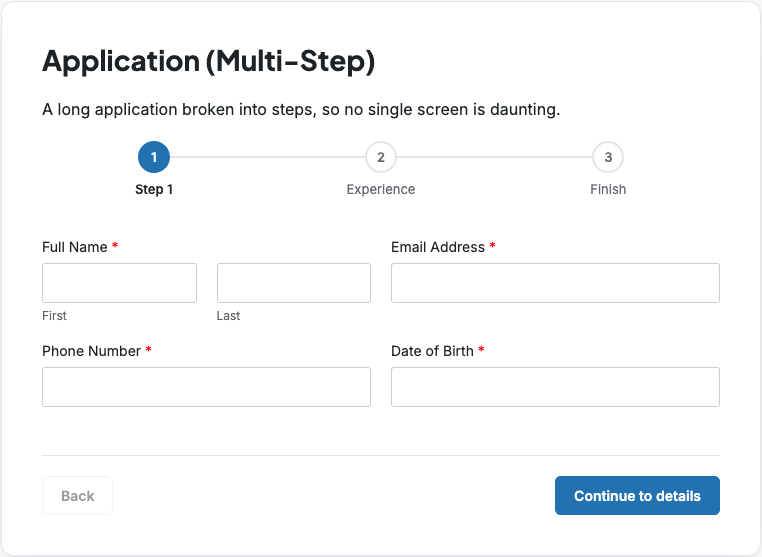
Long forms that feel short
Multi Step field
Progress indicator
Step descriptions
Button text
Checked as you go
Scroll back
Build a multi-step form in three steps
Add Multi Step fields
Drag the Multi Step field from the Advanced group to where each step starts.
Choose the indicator
On the first step, pick numbered steps, a progress bar or no indicator.
Describe each step
Give each step a description and its own Next button text, then save.
Multi-step forms ready to use
These Hash Form Pro templates use it. Each demo is the real form, rendered straight from the template.
Application (Multi-Step)
Survey (Multi-Step)
Works well with
Questions, answered
Still wondering about Multi-Step Forms? The documentation covers every setting, and we are happy to help.
Are steps validated?
Yes. Required fields and email, URL and number formats are checked before the visitor can continue.
Can visitors go back a step?
Yes. Every step after the first has a Back button.
Which progress indicators are there?
Numbered steps, a progress bar, or none.
Are there multi-step templates?
Yes. Hash Form Pro includes multi-step application, booking, survey and client onboarding templates.
Get Multi-Step Forms with Hash Form Pro
Every Pro feature is included in every plan, on a yearly subscription or a lifetime license.