
Features/Form Styling
Make every form match your site
Choose how much of the look comes from Hash Form, design a style template in a live style builder, and apply it to any form. Fine-tune a single placement from the Elementor widget or the block editor.
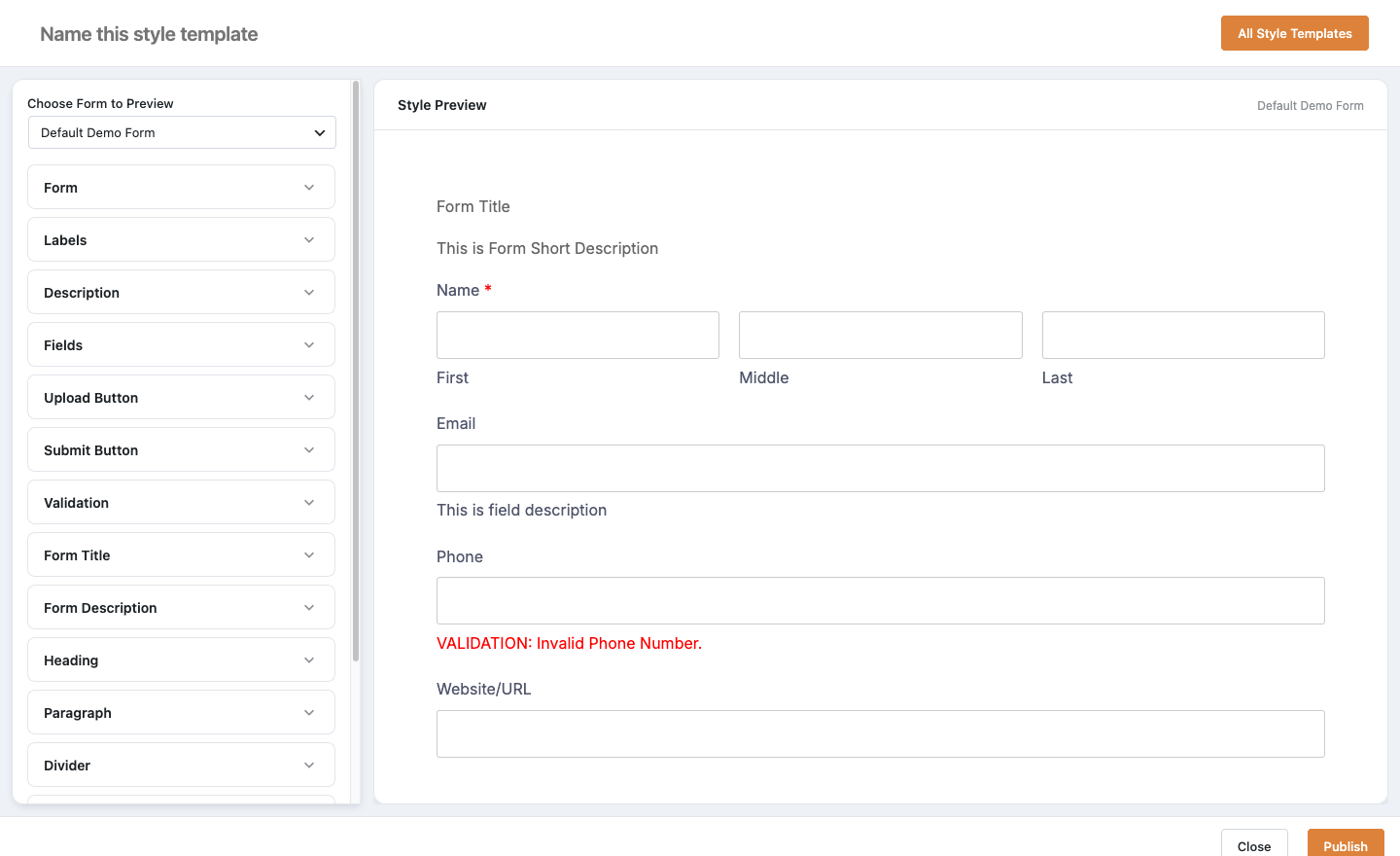
Design control without writing CSS
Three form styles
Style templates
Every part of a form
Live preview
Elementor & block editor
Privacy-friendly fonts
Style a form in three steps
Create a style
Go to Hash Form > Styles and add a new style template.
Design it
Set fonts, colours and spacing section by section, with a form previewed alongside.
Apply it
In the form’s Style tab, choose Custom Style and pick your template.
Works well with
Questions, answered
Still wondering about Form Styling? The documentation covers every setting, and we are happy to help.
Can my theme style the forms instead?
Yes. Choose No Style in the form’s Style tab and your theme’s styles apply.
Can I use one style on many forms?
Yes. A style template can be applied to any form on the site.
Does styling work in Elementor?
Yes. Turn on Enable Custom Style in the Hash Form widget to style that placement with Elementor’s own controls.
Can I move a style to another site?
Yes. Style templates have their own import and export.
Are there ready-made styles?
Yes. Hash Form Pro adds 18 pre-built styles, from Minimal to Neon Night, that you import in the style builder and change as you like. Try them on a live form.
Start using Form Styling for free
Install Hash Form from WordPress.org and build your first form in minutes. Add Pro when a form needs more.