
Features/Entries & Notifications
Never miss a submission
Every submission is stored on your own site, so a missed email never loses a lead. Email the right people, reply to visitors automatically, and decide what they see the moment they submit.
Every entry, every email
Entries on your site
Stars and notes
Email notifications
Auto responder
Confirmation
CSV export
Set up notifications in three steps
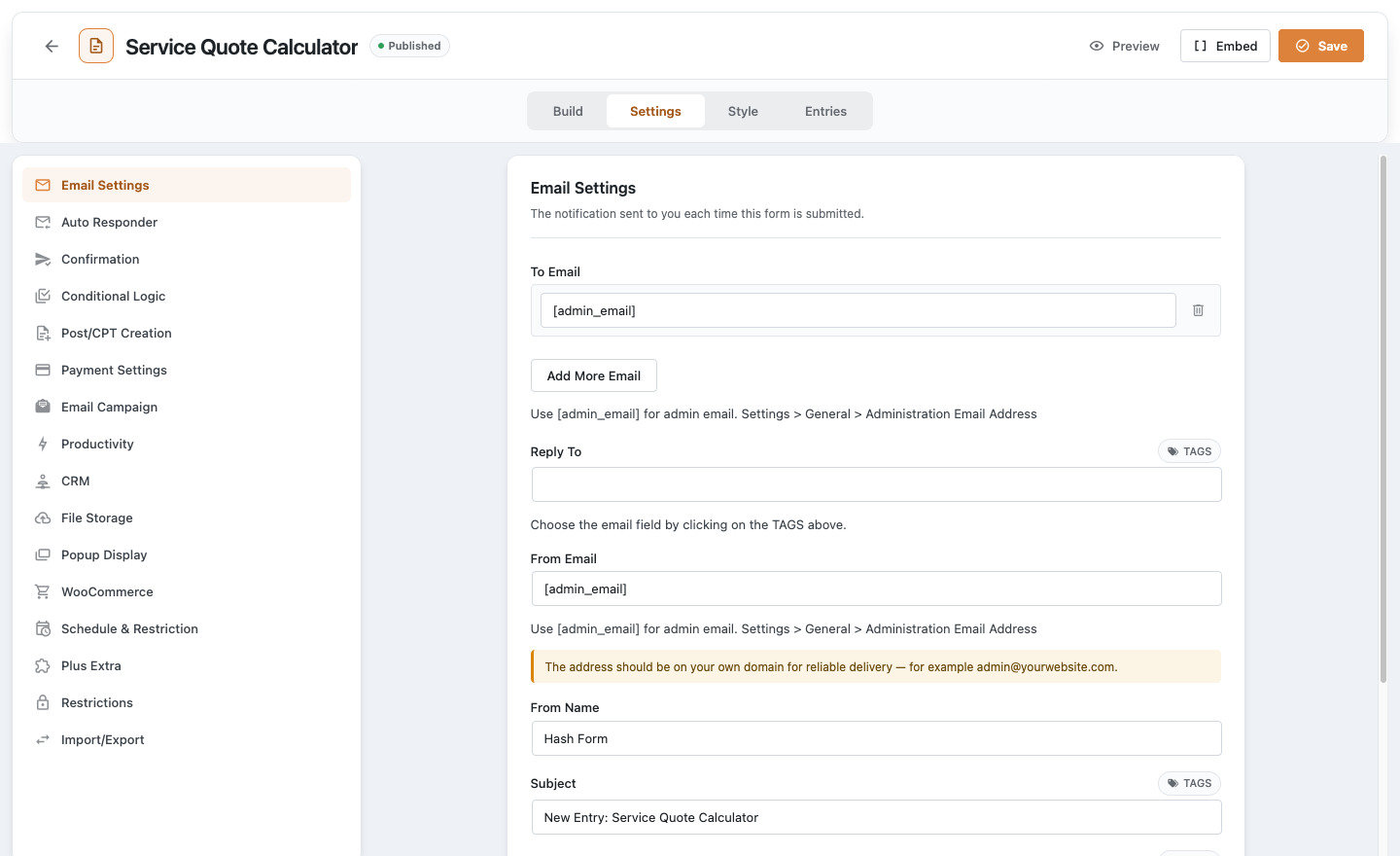
Email Settings
In the form’s Settings tab, set who receives each submission and what the email says.
Auto Responder
Turn on Enable Auto Responder and write the reply visitors receive.
Confirmation
Choose a message, a page or a redirect URL for after they submit.
Works well with
Questions, answered
Still wondering about Entries & Notifications? The documentation covers every setting, and we are happy to help.
Are entries kept if an email fails?
Yes. Every submission is stored on your site whether or not the notification email arrives.
Can I send a notification again?
Yes. Open an entry and use Resend Notification.
Can I brand the emails?
Yes. Choose one of three email templates, add a header image and send a test email before going live.
Can I export entries?
With Hash Form Pro, the CSV Export module adds an Export to CSV button to the Entries screen.
Start using Entries & Notifications for free
Install Hash Form from WordPress.org and build your first form in minutes. Add Pro when a form needs more.