
Features/Drag & Drop Builder
Build forms on a real canvas
Drag fields into rows and columns, rearrange them, and see the layout as you build it. No code, no fixed single column, and everything from the first field to the embed code on one screen.
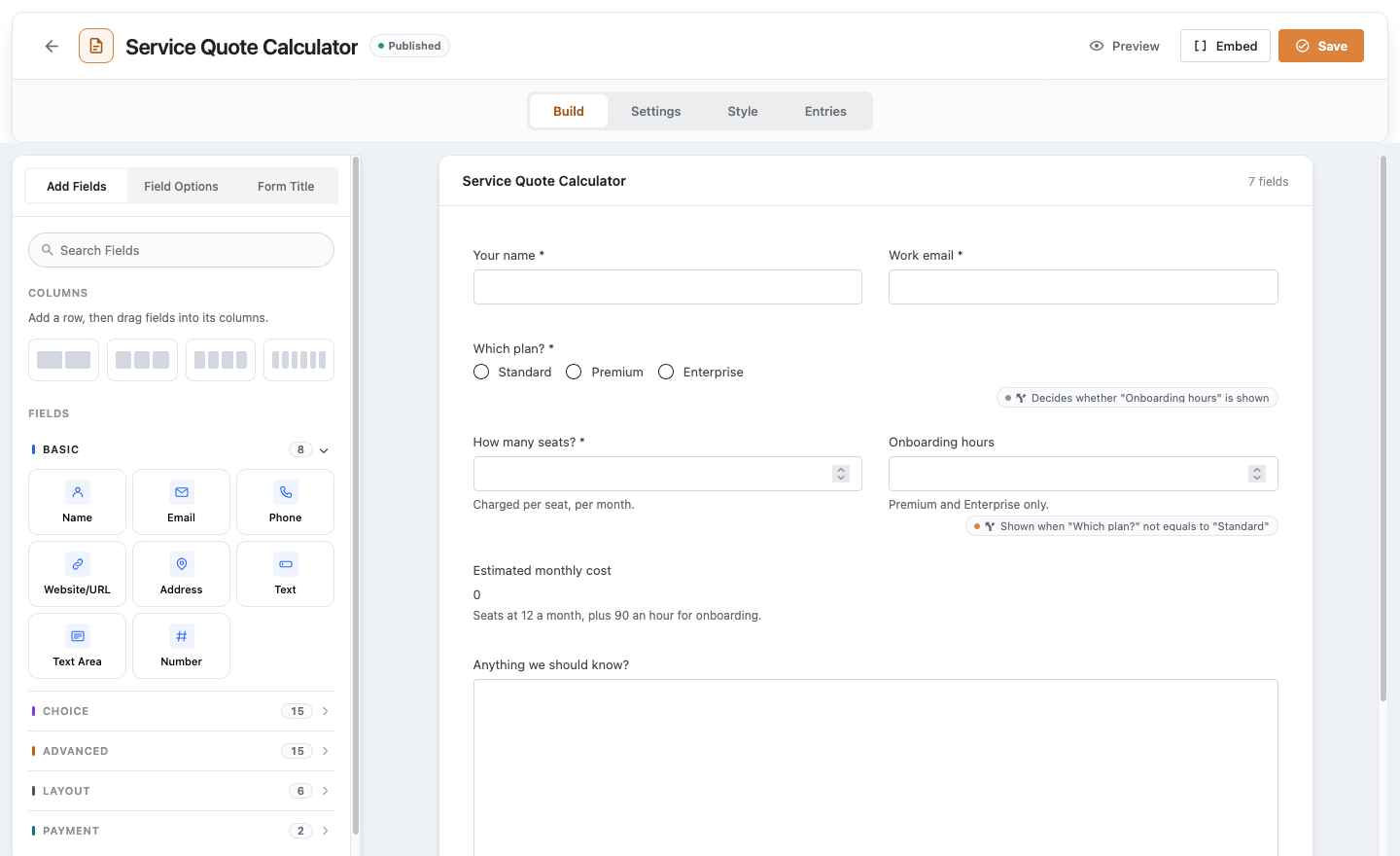
One screen from first field to live form
Rows and columns
Fields at hand
Field options
Preview at any width
Embed anywhere
Blank, template or import
From blank canvas to live form
Create a form
Go to Hash Form > Forms, click Add New and give the form a name.
Drag in your fields
Add a row of columns, then drag fields from the sidebar into place.
Save and embed
Click Save, then Embed to copy a shortcode, or add the form as a block or widget.
Layouts built on the canvas
These Hash Form Pro templates use it. Each demo is the real form, rendered straight from the template.
Detailed Enquiry
Works well with
Questions, answered
Still wondering about Drag & Drop Builder? The documentation covers every setting, and we are happy to help.
Do I need to write any code?
No. Forms are built by dragging fields onto the canvas and placed with a shortcode, the block editor or the Elementor widget.
Can I put fields side by side?
Yes. Add a row of 2, 3, 4 or 6 columns and drag a field into each column.
Can I move a form to another site?
Yes. Export the form to a file and import it on the other site. Its conditional rules and calculations come with it.
Is the builder limited in the free plugin?
No. The canvas, all 27 free field types and unlimited forms and entries are free. Pro adds more fields, templates and modules on the same canvas.
Start using Drag & Drop Builder for free
Install Hash Form from WordPress.org and build your first form in minutes. Add Pro when a form needs more.