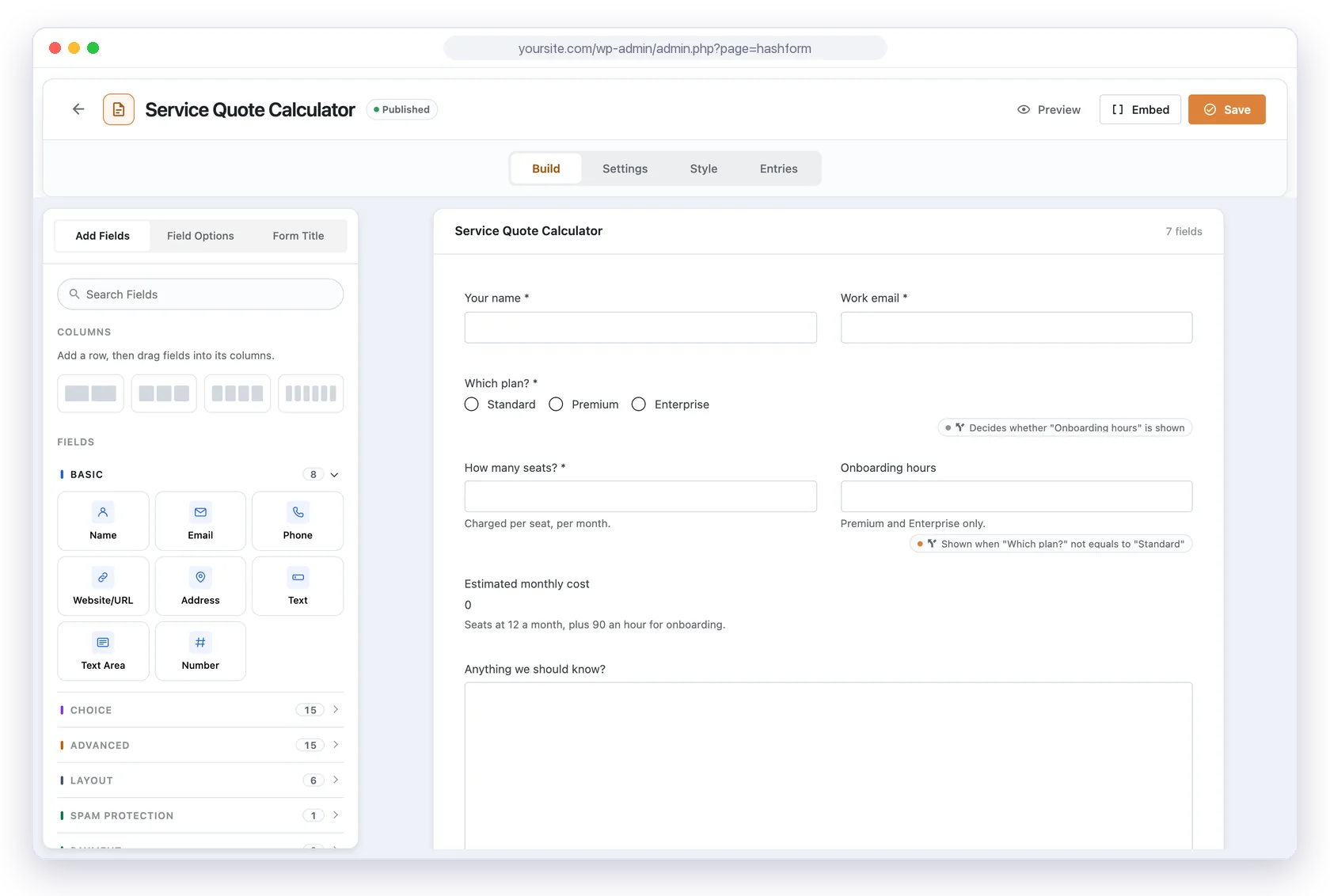
Drag fields into rows and columns, rearrange them, and see the layout as you build it. No code, no fixed single column, and everything from the first field to the embed code on one screen.
27 field types in the free plugin, 50 with Pro, sorted into groups like Basic, Choice and Advanced.
Rows of columns
Add a row of 2, 3, 4 or 6 columns, then drop a field into each column.
Click to edit, drag to reorder
Select any field to change its label, placeholder and options beside the canvas.
Rules at a glance
Badges show which answers show or hide other fields.
Settings
Email notifications, confirmation, conditional logic and integrations for this form.
Style
Pick how the form looks and preview it on this form before saving.
Preview
See the form at desktop, tablet and mobile widths before you publish it.
Embed
Copy a shortcode, or place the form with the block editor or the Elementor widget.
Hover or tap the + markers to see what each part of the builder does.
Rows and columns
Add a row of 2, 3, 4 or 6 columns, then drag fields into the columns you want.
Fields at hand
Fields are grouped into Basic, Choice, Advanced, Layout, Spam Protection and Payment, with a search box.
Field options
Select a field on the canvas to edit its label, description and settings.
Preview at any width
Preview the form at desktop, tablet and mobile widths before you publish it.
Embed anywhere
Copy a shortcode or PHP template tag, or place the form with the block editor or Elementor widget.
Blank, template or import
Start a new form blank, from one of 79 templates, or from an exported file.
PRO
How it works
From blank canvas tolive form
01
Create a form
Go to Hash Form > Forms, click Add New and give the form a name.
02
Drag in your fields
Add a row of columns, then drag fields from the sidebar into place.
03
Save and embed
Click Save, then Embed to copy a shortcode, or add the form as a block or widget.
The same three-column form on a laptop, a tablet and a phone: on narrow screens the columns stack into one. Every template demo has Full, Tablet and Phone buttons to try it.
See it in a real form
Layouts builton the canvas
These Hash Form Pro templates use it. Each demo is the real form, rendered straight from the template.
Contact (Two Column)
The standard contact fields, paired up two to a row.